Findmemo is an app that facilitates remembering past memories associated with objects we own. This app is a version built upon Treasurefinder. Findmemo uses, just like Treasurefinder, a Large Language Model (LLM) to generate open-ended questions based on detected objects through image recognition. This app is designed to explore the use of AI in supporting users memories.
My Role
Research, Analysis, Product Design, Interaction Design System Design, User-Testing
Based on the results from Treasurefinder, we see that the use of large language models (LLMs) shows great potential in facilitating the recollection of memories. This mobile app aims to reach a broader range of users, unlike Treasurefinder, which is a physical device that limits the number of users. Additionally, by designing an app, we can leverage more advanced tools, such as image recognition to analyze users’ objects.
Goal
Explore how AI can be used to support the recollection of memories associated with personal objects through an mobile design app.
Research
Challenges
Based on the use of Treasurefinder as a physical device, we recognized limitations in embedding technology within a small form factor. This allowed us to identify greater opportunities to design a mobile application that leverages the same functionality as Treasurefinder but achieves more effectiveness and an enhanced user experience. For example, utilizing AI image recognition instead of NFC-tagged labels enhances the user experience. Additionally, designing an app allows us to reach a broader user base. Therefore, we have ideated and developed further into a mobile application to explore the opportunity of using AI in supporting memory recollection.
Results
Style Guide
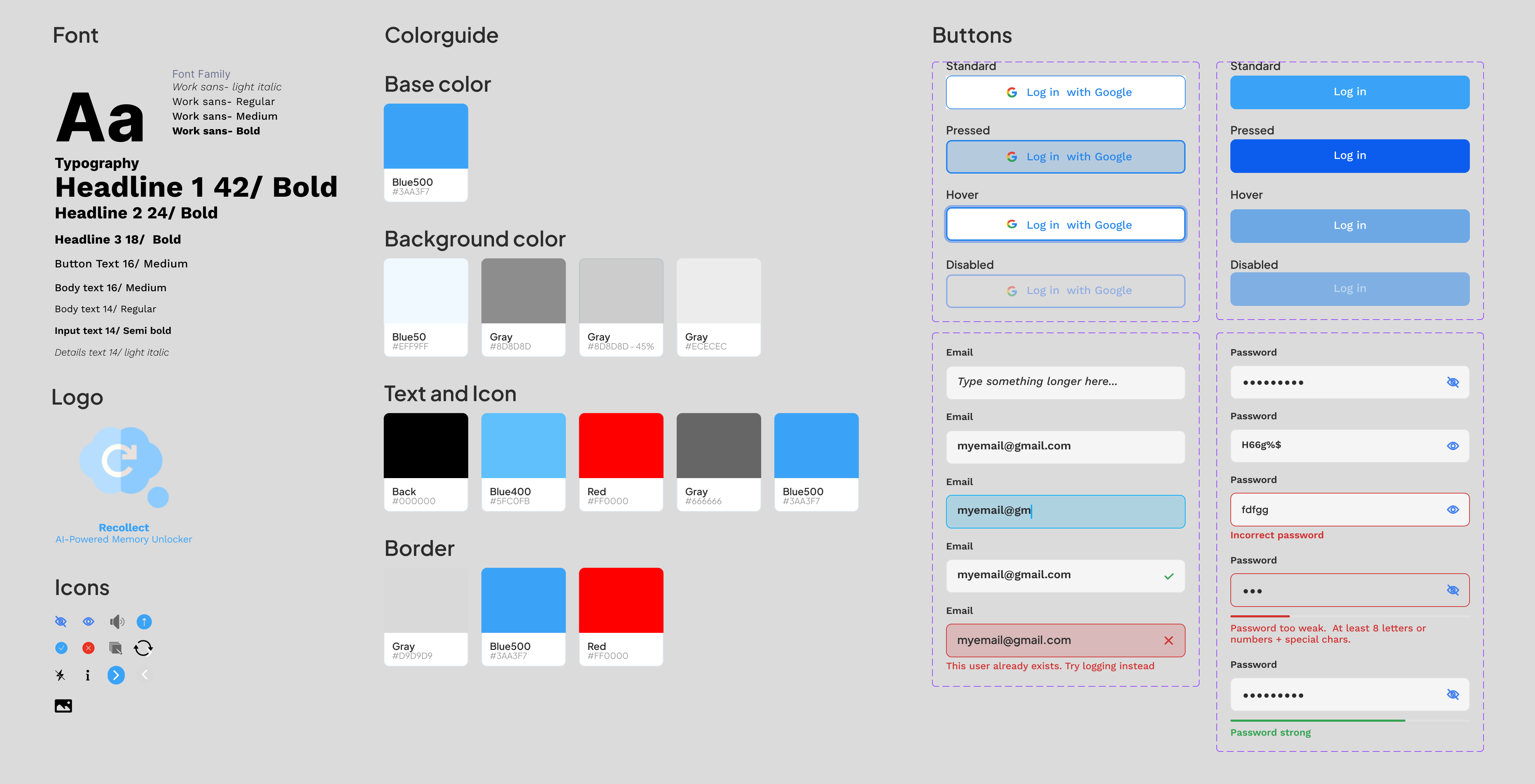
The app’s logo features a cloud and a recall icon; this is chosen to symbolize the meaning of recollecting memories. A style guide has been developed to ensure stakeholder interests are considered and provide developers with implementation guidelines.
Final Design
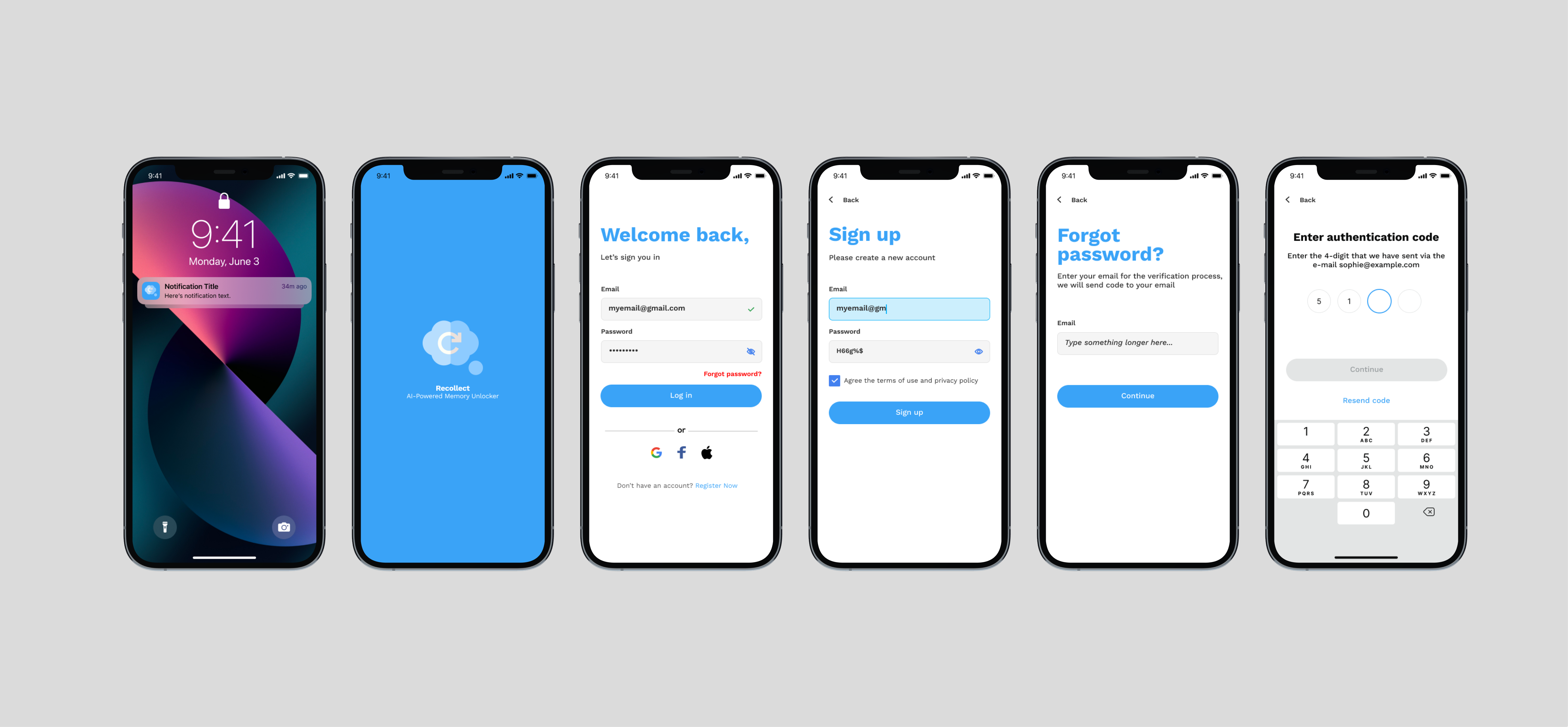
Upon opening the app, users are presented with a registration or a login screen. If users forget their password, we use a digital pincode connected to an email to retrieve the user passcode.
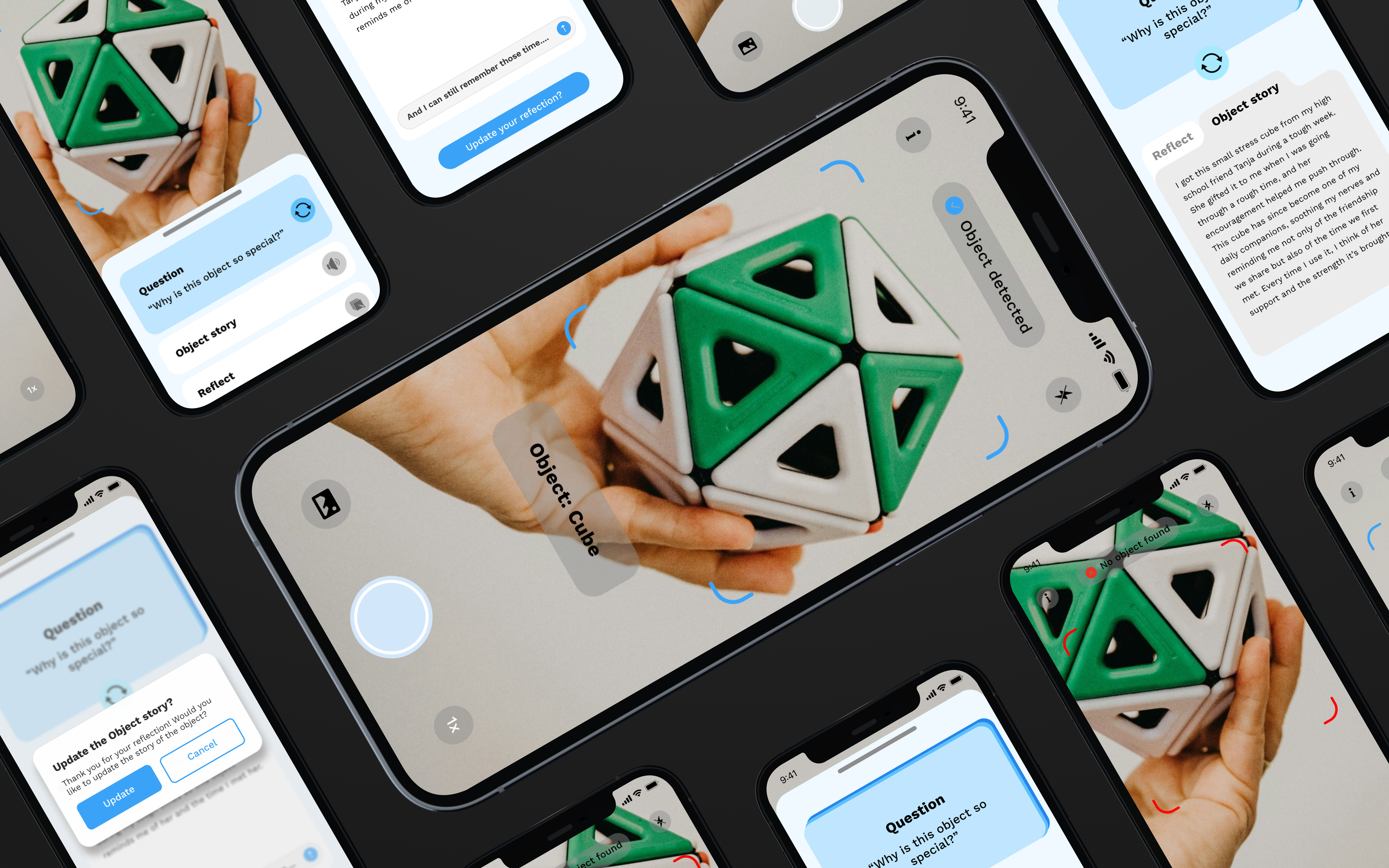
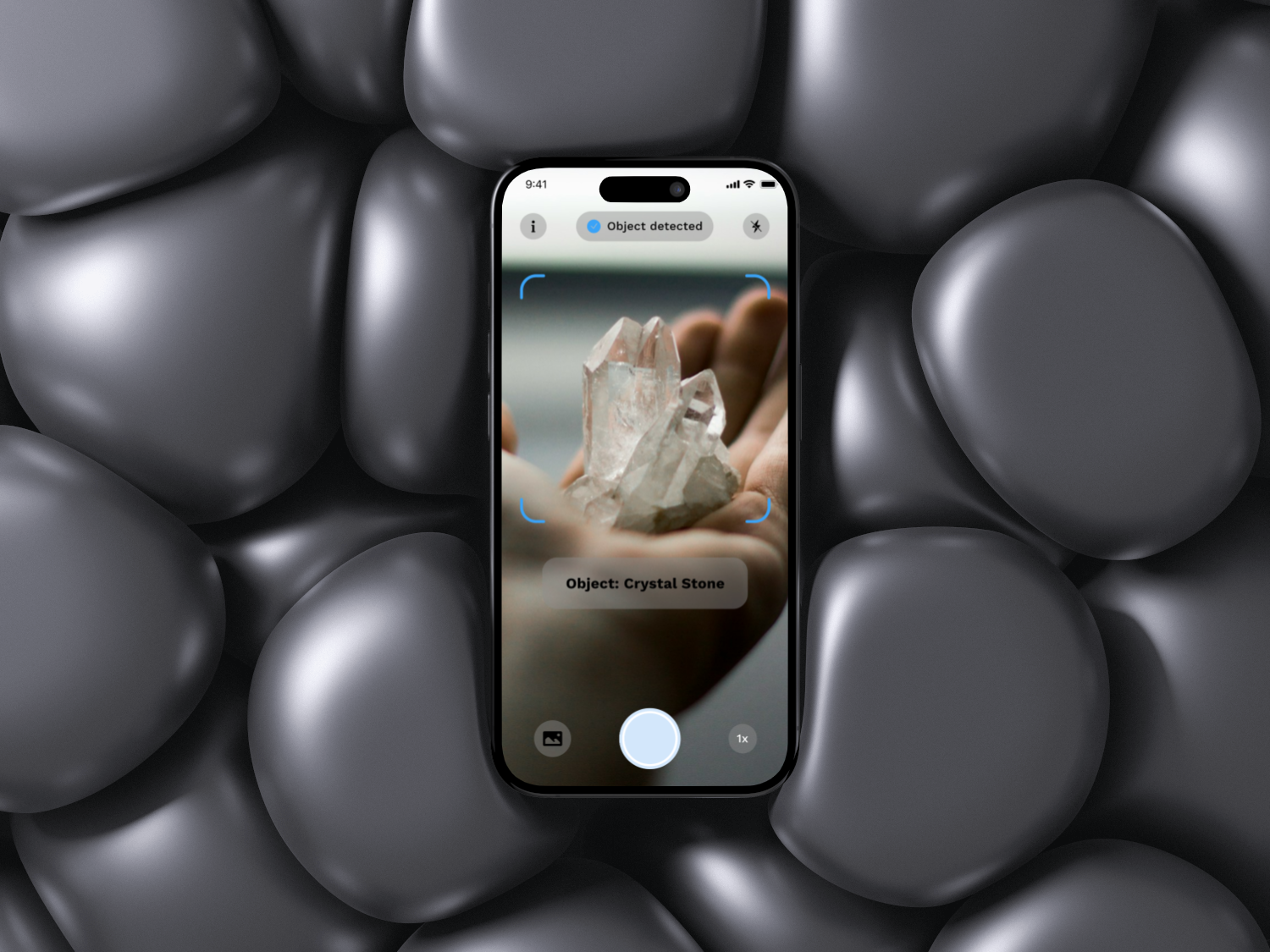
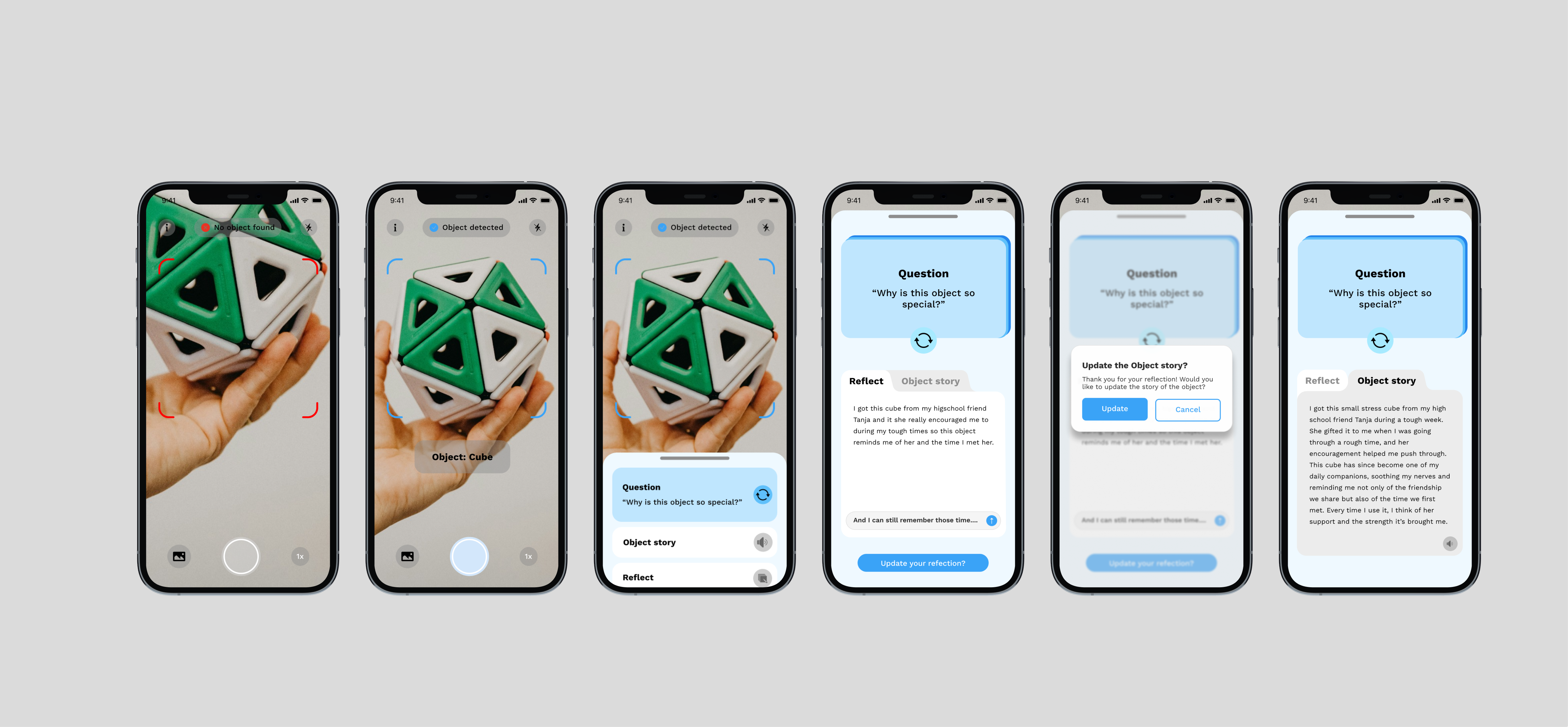
Users will see the camera interface as the home screen on the main screen, allowing them to detect objects within the designated blue rectangular guideline. Once an object has been detected, a prediction of the object’s name will appear to confirm the detection. A pop-up information will appear from down; within this small pop-up, it displays one open-ended question generated by AI based on the detected object. Moreover, users can reflect on the question by providing their answers or listening to the object’s story previously recorded in the app. The refresh button on the question cards allows users to continuously receive new questions, supporting their ability to remember past experiences associated with the object.
Users can update their reflections in the object’s story by clicking the “Update Your Reflection” button. The AI will then analyze the reflected answer and save it accordingly, enabling users to reread or relisten to the object’s story whenever they scan the same object again.
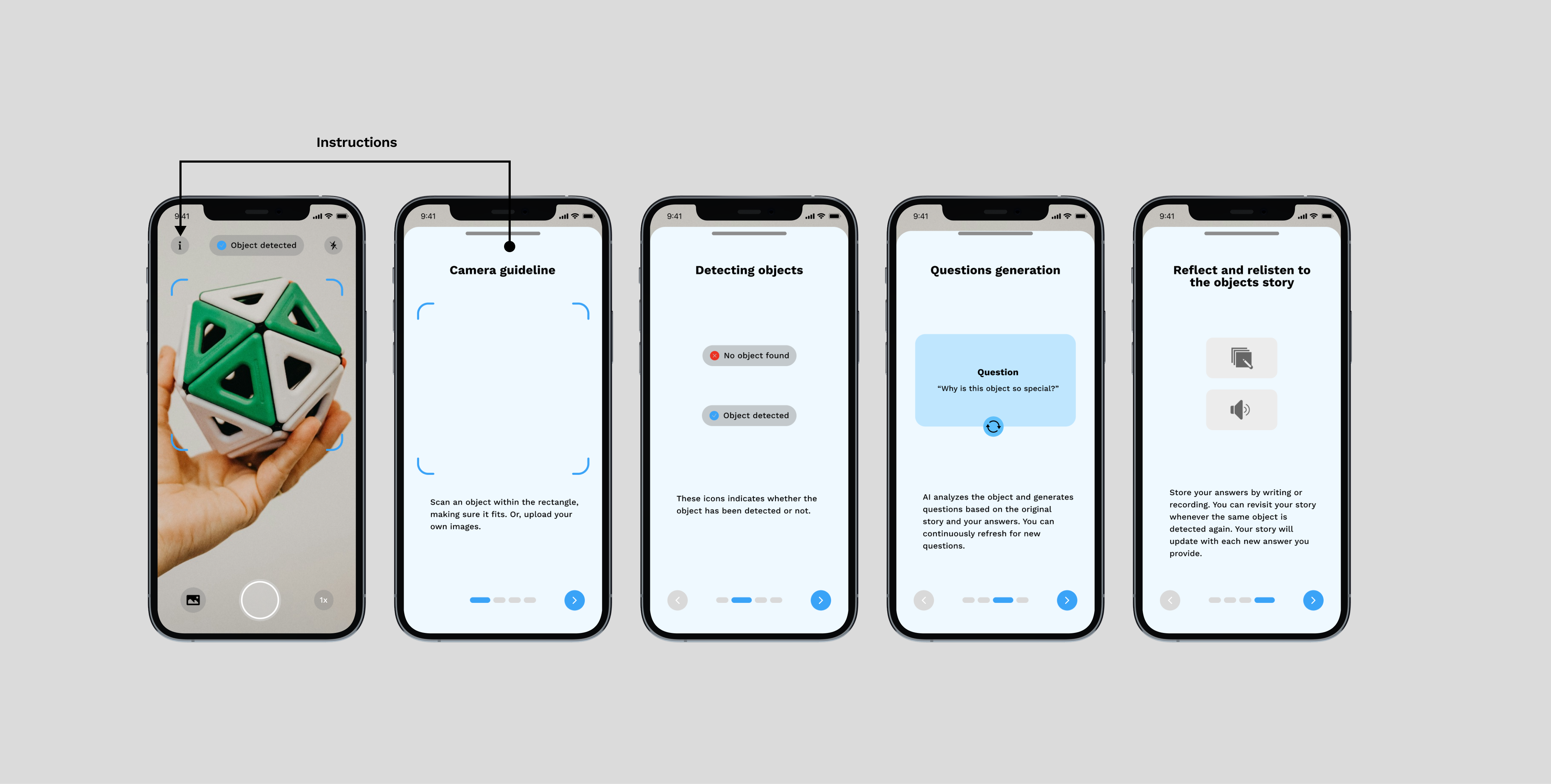
The primary function of this app is to help users recollect their memories based on the objects they have scanned using AI image recognition. After analyzing the object details, the AI generates open-ended questions that encourage users to reflect on their past experiences. A comprehensive set of instructions for users is provided step-by-step in the “i” icon. Each step clearly explains how to understand and use the device effectively.